Use File Assets
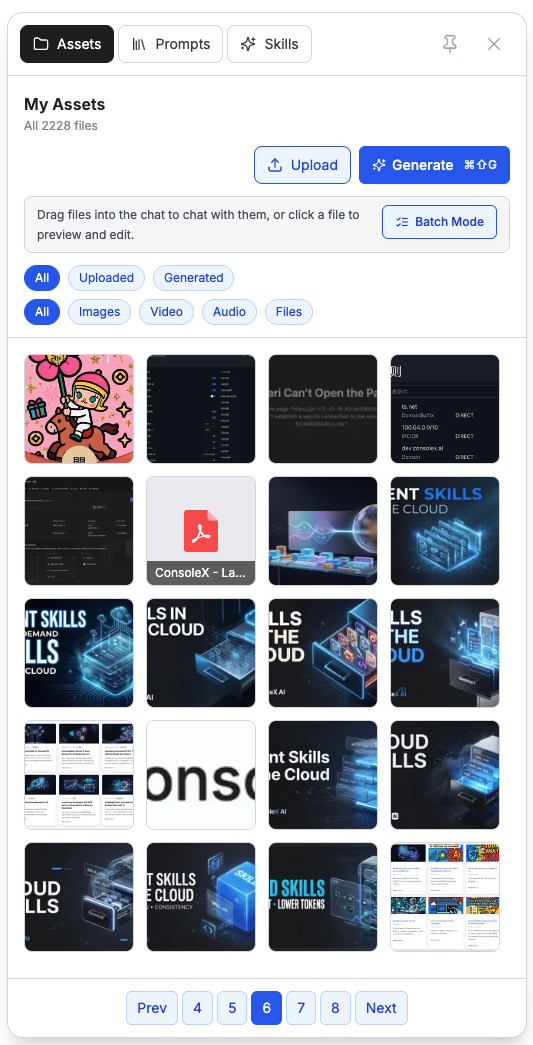
In ConsoleX AI, you can use the Asset Library to manage files you uploaded in conversations as well as files generated by models, including images, audio, video, PDFs, and Skill packages.
Attach files in a conversation
In the conversation interface, you can attach images, audio, video, PDFs, and office documents. The model can use its native multimodal capability—or external tools—to interpret file contents and use them as context.
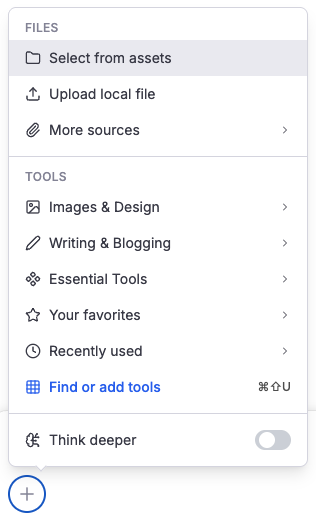
You can choose Select from Assets from the add menu in the input box, or drag files directly from the Asset Library into the conversation input area.
Upload size depends on your plan:
- Free users: up to 2 MB per file
- Go and higher plans: up to 50 GB per file
Quick generate files
In addition to generating media through chat, you can use Quick Generate directly from the Asset Library to create images, audio, and video. Just choose the output type, the model, and the related parameters.
For media already shown in a conversation, you can also click the regenerate icon and compare alternative versions by changing the generation model, prompt, or parameters until you reach a result you like.
Preview, edit, and manage files
In the Asset Library, you can preview and manage uploaded and generated files. While previewing media, you can also perform follow-up actions such as generating a new image from an existing one, denoising audio, or remixing a video.