What Is ConsoleX?
ConsoleX is an AI workspace built around one idea: get it right once, then run it with checks. You work out a piece of work in a chat or start from a template, save it as a task, and every run after that is checked against your standard, with evidence for each verdict.
This page explains how that works, who it is for, and how the parts of ConsoleX fit together.
The core loop
An ordinary AI chat ends with an answer that you have to check yourself and explain again next time. ConsoleX starts there.
- Get it right. Chat it through with any leading model, plus web search, your files, tools and Skills, and correct the reply until it is right. Or start from a task template whose instructions and checks are already written.
- Save it as a task. Click Save as task in the chat. AI organizes the conversation, including your corrections, into task instructions and suggests checks for the result. A template becomes a task once you fill in its blanks.
- Every run is checked. When a run finishes, ConsoleX checks the result item by item against the task's acceptance criteria and shows the evidence behind each verdict. What a check cannot verify is marked needs review, never quietly passed. Each run also records the model, usage and estimated cost; checks are billed separately.
- You make the call. You decide whether to use each result: Accept, Needs edit, Reject, or Check is wrong if the check itself got it wrong.
- Improve with suggested changes. Failed checks, your feedback and your own requests become suggested changes to the task, with every edit marked. Nothing changes until you approve it. Each approved change is a new version, later runs follow it, and you can restore an earlier version.
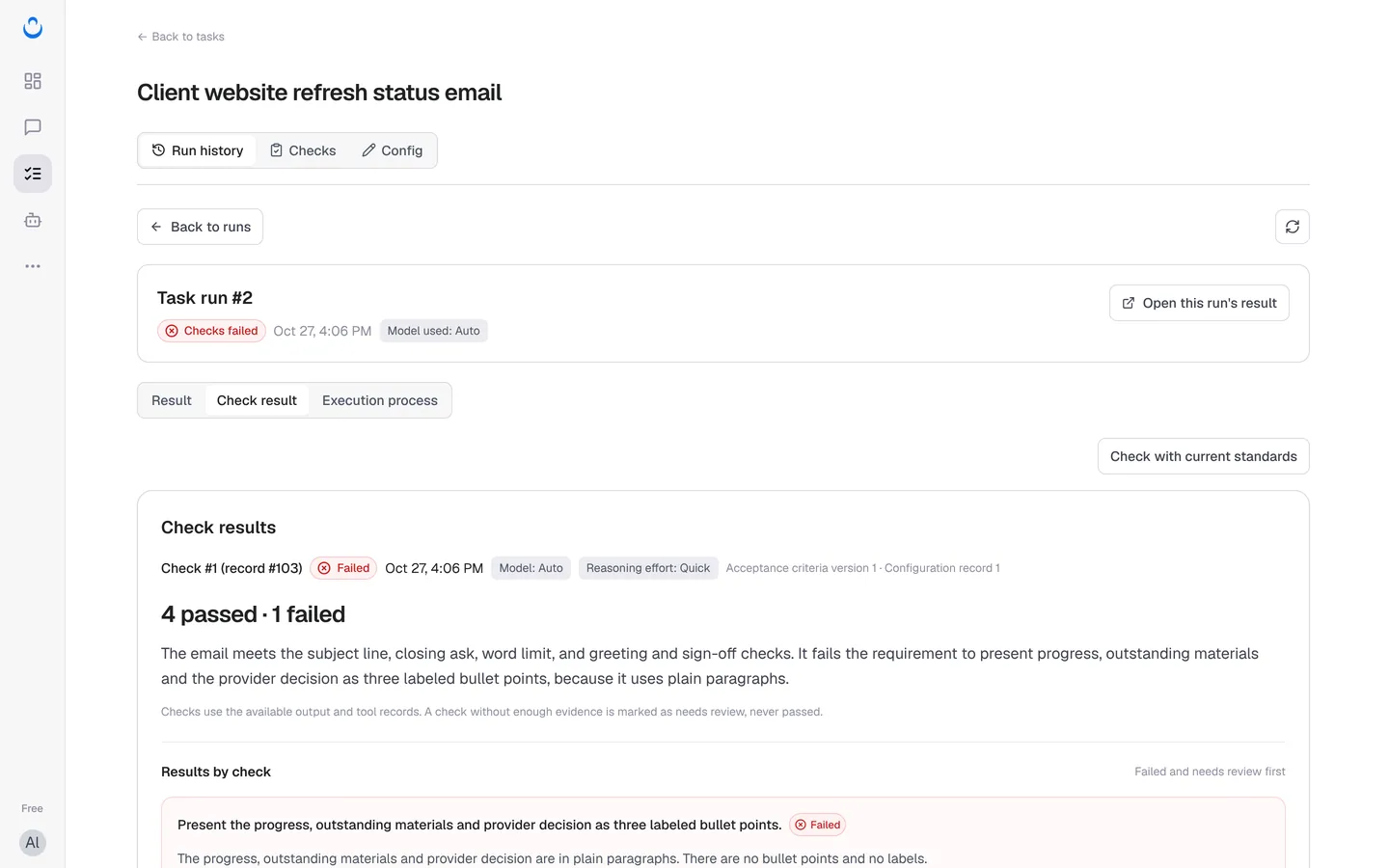
For example, Alex, a freelance web designer, uses ConsoleX to turn the notes from a kickoff call with Maria at Brightside Bakery into a recap email she can sign off. Once the recap is right, Alex keeps it as a task. For the next client, Alex adds the new notes, runs the task, and reads a check report that shows whether everything came from the notes and what still needs Alex's confirmation.
Who it is for
ConsoleX is designed for people who repeat the same kinds of work and want to stop re-checking and re-explaining it, for example:
- Content creators with a newsletter, podcast, videos or social posts
- Freelancers delivering writing, design or marketing for clients
- Independent consultants producing advice, research and reports
- Founders doing their own marketing
- People on a company team working on content, marketing or operations
Good first tasks are things you already do again and again: a recap or brief from your notes, a revision to your rules and the client's feedback, one piece of content repurposed for each channel, or a monthly client report.
How the parts fit together
| Area | What it is for |
|---|---|
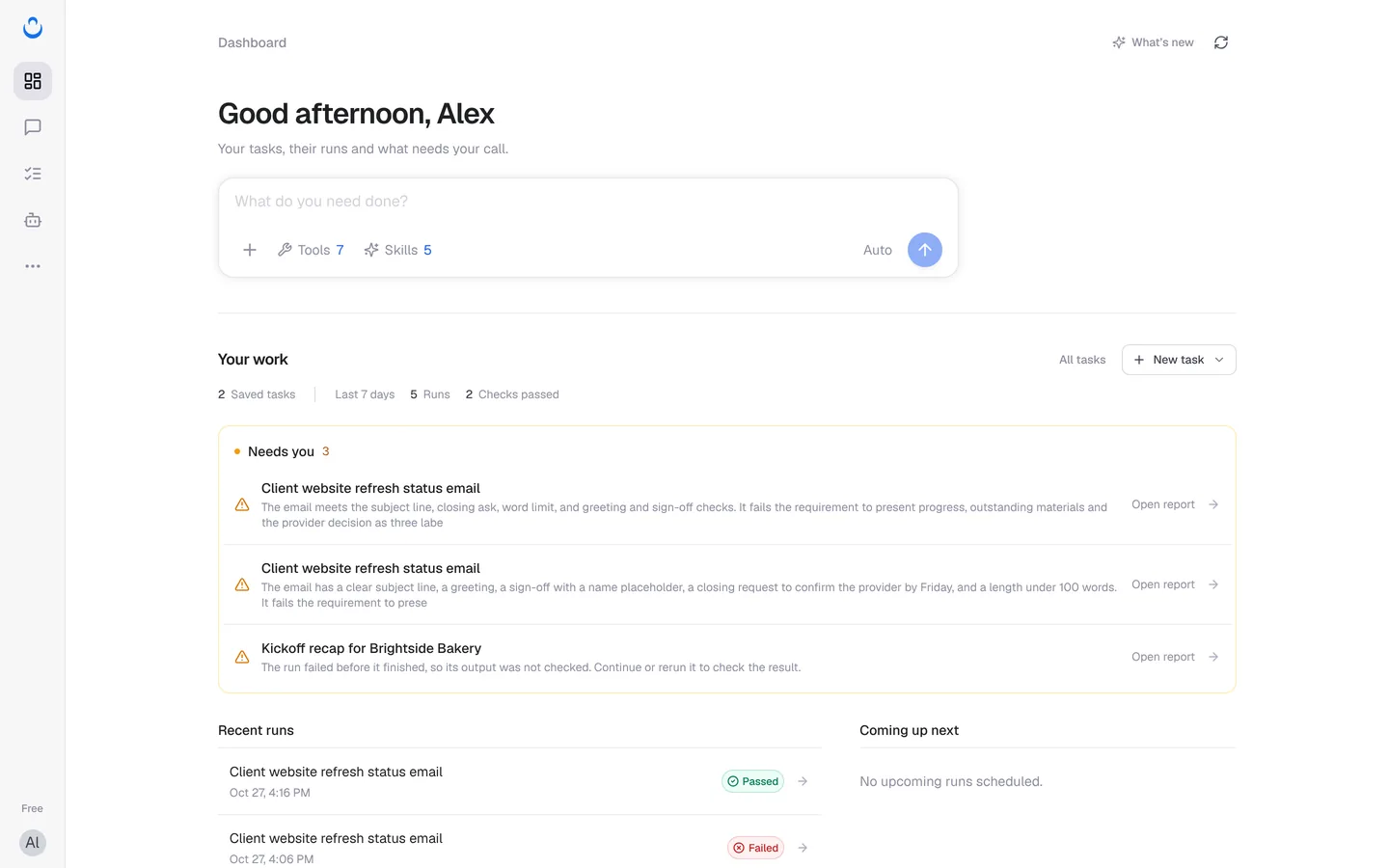
| Dashboard | Your tasks, their runs and what needs your call: recent runs, runs waiting for your decision, and what runs next. |
| Chat | Work something out with any leading model, then save it as a task. |
| Tasks | Each task keeps the instructions and standard for one piece of work. Run it again with new material, or on a schedule. Each task has Run history, Checks and Config. |
| Agents | An agent combines a model, a prompt, Skills and tools. Set it up once and reuse it in chats and tasks. |
| Capabilities | What chats, tasks and agents can use: tools are what they can do and which services they can reach, and Skills are ways of working. |
| Library | Your saved artifacts, uploaded files, generated media and prompts. |
| Models | The models that do the work. Auto select is the default; you can also pick another shared model or add your own API key. |
Capabilities, Library and Models are under … (More) in the left rail. See Find your way around for a tour.
Where to start
- New to ConsoleX: follow the Quick Start to run your first checked task.
- Learn how tasks work: What are tasks, Create a task from a template and Save a chat as a task.
- Run and review: Run tasks and Read check results.
- Make a task better over time: Acceptance criteria and Improve tasks.
- See what else ConsoleX does: Product Highlights.