Use Skills
Skills are reusable ways of working, such as a writing guide or an analysis routine, so results come out the same way each time. A Skill packages goals, steps and constraints, and can include scripts and bind tools. This page shows how Skills work in a chat and how to change them.
The Skill package format is compatible with Agent Skills, so many open-source Skills can be uploaded to ConsoleX. Compared with using Skills on your own computer, there are two differences:
- Skills are stored in the cloud, not on your machine.
- Scripts run in a cloud sandbox, not in your local environment.
ConsoleX includes preset Skills, and you can create your own.
Skills a new chat starts with
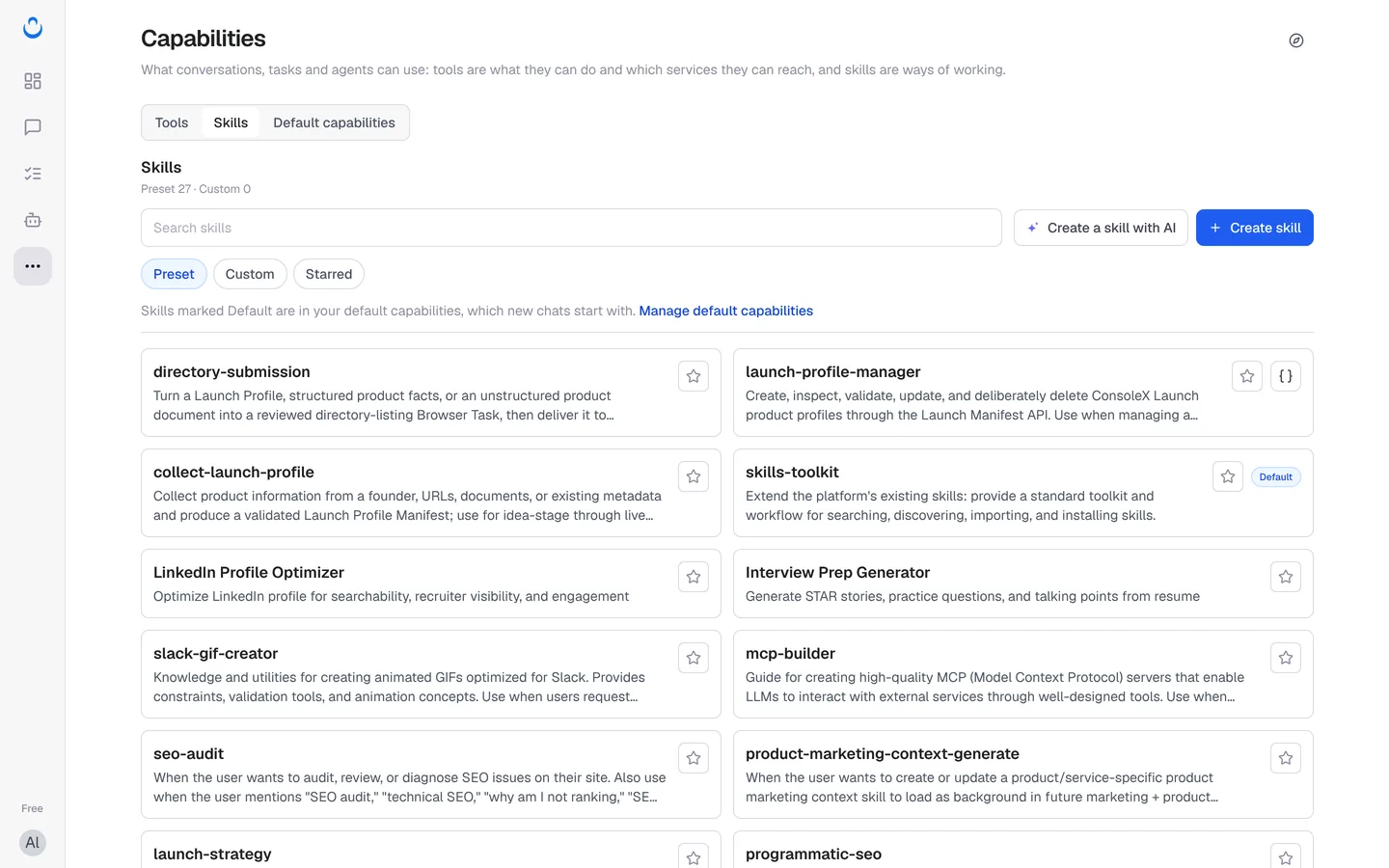
Every new chat starts with the Skills in your default capabilities. Out of the box that is 5 Skills:
- artifact-builder: builds web pages, React components, SVG graphics, diagrams and other previews. See Artifacts.
- skill-creator: helps you create or update a Skill.
- skills-toolkit: helps you search for, import and install Skills.
- cloud-browser: controls a cloud-hosted browser. See Cloud browser.
- document-suite: creates, edits and analyzes Word, Excel, PowerPoint and PDF files.
In More → Capabilities → Skills, Skills that are part of your defaults carry a Default badge.
Change Skills for one chat
- In the composer, click Skills. You can also click + and choose More skills.
- The Apply to this conversation panel opens on the Skills tab. As it says, "Changes here apply only to this chat."
- Find a Skill with Search skills or the filters (All / In use, All / Preset / Custom, All / Starred / Unstarred).
- Use the switch next to a Skill to turn it on or off, and the star to mark favorites.
- To turn all Skills off for this chat, click Disable all skills.
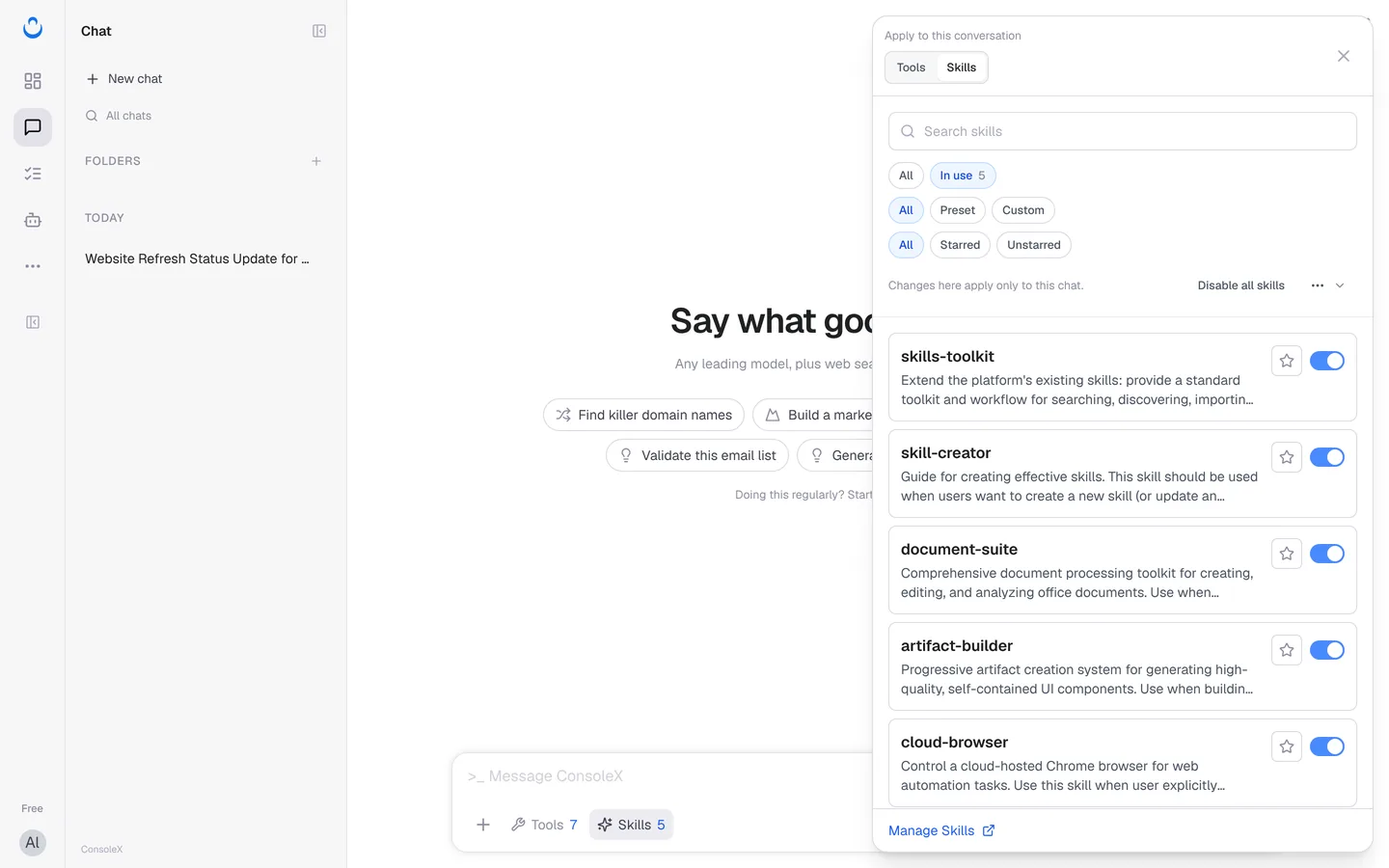
To browse every Skill, create one or import one, click Manage Skills at the bottom of the panel. Capabilities opens in a new tab and your current draft stays in the chat.
To change which Skills every new chat starts with, edit your default capabilities instead. That never changes existing chats, tasks or agents.
How Skills are loaded and run
Skills load step by step. When a chat starts, a short description of each Skill that is switched on is added to the system prompt. The model reads these descriptions first. If a Skill fits what you asked, the model then loads the Skill's full instructions (SKILL.md) and its resources.
When the full instructions load, the tools and MCP servers bound to that Skill are loaded into the chat as well.
If a Skill needs to run scripts, the model runs them in a cloud sandbox. Environment variables you set when creating a Skill are injected into that sandbox when the Skill runs.
Skills in tasks and agents
Each chat, task and agent keeps its own list of Skills. When you save a chat as a task, its Skills are carried over for you to review. New tasks and agents can add your defaults with Use my default capabilities. See Save a chat as a task.