Chat with Agents
Agents are customized AI teammates built around a vertical use case. They combine prompts, models, and a selected set of tools so they can work more effectively on focused tasks.
In ConsoleX AI, you can use carefully designed Preset Agents or create your own custom Agents to help with role-based Agentic work.
Start a conversation with an Agent
There are two common ways to start chatting with an Agent:
- Open the Agent area from the menu and click Chat on the Agent you want.
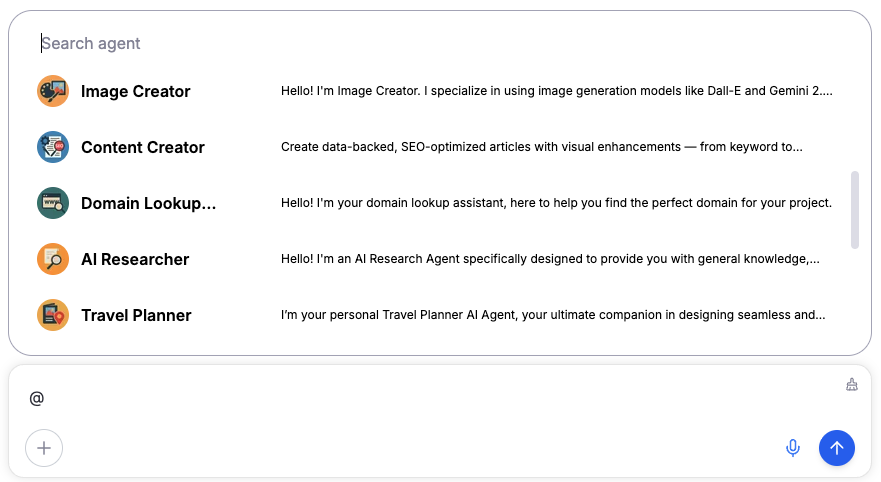
- Type
@in the conversation input box to bring up the Agent picker, with keyword search support.
Manage frequently used Agents
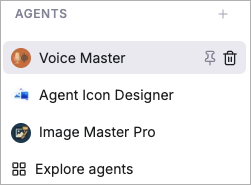
In the Agent section of the left menu, recently used Agents are listed by default from newest to oldest. You can click the
icon to pin commonly used Agents, or click the icon to remove an Agent from the menu list.