Chat with Models
ConsoleX AI gives you a unified conversation interface for leading models from major providers and cloud vendors such as OpenAI, Claude, Google Gemini, DeepSeek, and Kimi. You can use shared models out of the box or connect your own private endpoints through API keys.
Use Shared Models
To make model access simple, ConsoleX includes a set of ready-to-use shared models. These models use shared API keys managed by the platform, so you can start immediately without extra setup. Shared model usage consumes your ConsoleX credits. Preset models are grouped into standard and premium tiers, and premium models are available to subscribed users only. Learn more

Use Custom Private Models
You can also connect your own private model endpoints through API keys. Calls made through your own endpoints do not consume your ConsoleX balance; the cost is charged directly by the provider. ConsoleX supports many providers and encrypts your API keys for security. Learn more

Compare outputs by switching models
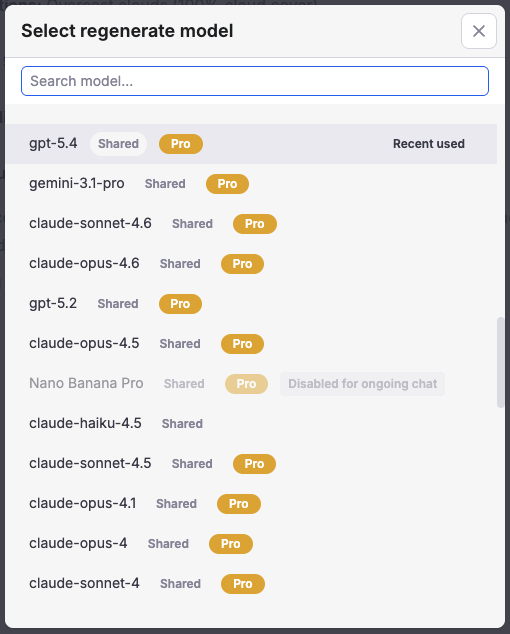
Under any model response, click the regenerate icon to open the model selector.

Choose a different model to regenerate the same message and compare the old and new outputs in the same conversation. This is useful when you want to evaluate which model best fits your task.
Model endpoint management
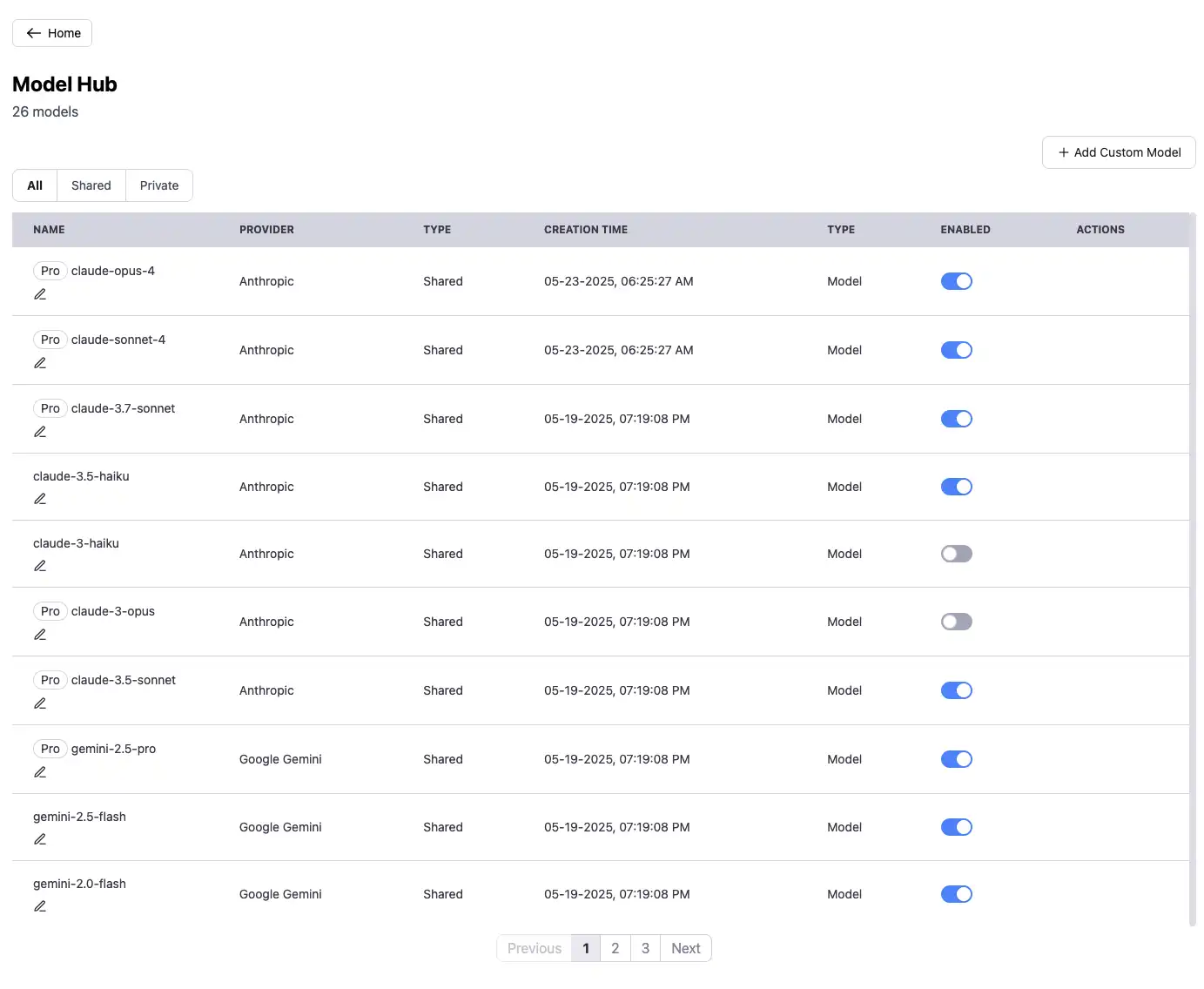
The Model Hub shows all available models, including shared models and your private endpoints. You can enable or disable any model at any time, and only enabled models appear in the chat interface. You can also assign aliases to make endpoints easier to distinguish.
Scheduled Tasks
You can also turn an AI conversation into an automated recurring workflow. Learn more
More features
-
Parameter controls
Click the options icon next to the model selector in the lower-right corner of the input area to adjust parameters such as temperature and max output tokens. Available controls vary by model.
-
Image and file upload
You can upload files directly or reuse files from the Asset Library. Common image formats, PDFs, Word/Excel/PPT files, Markdown documents, and code files are all supported.
-
Set a default endpoint
In
Settings > Chat Settings, you can choose a default model and preset parameters for new conversations.