Artifacts Preview
Claude popularized the idea of Artifacts: a separate window where AI-generated content can be previewed and shared outside the main chat thread. This makes it easier to revise, extend, and reuse important outputs.
ConsoleX provides a cloud runtime with Artifact-style preview support. It works not only with Claude models, but also with strong models from other providers such as OpenAI and Gemini.
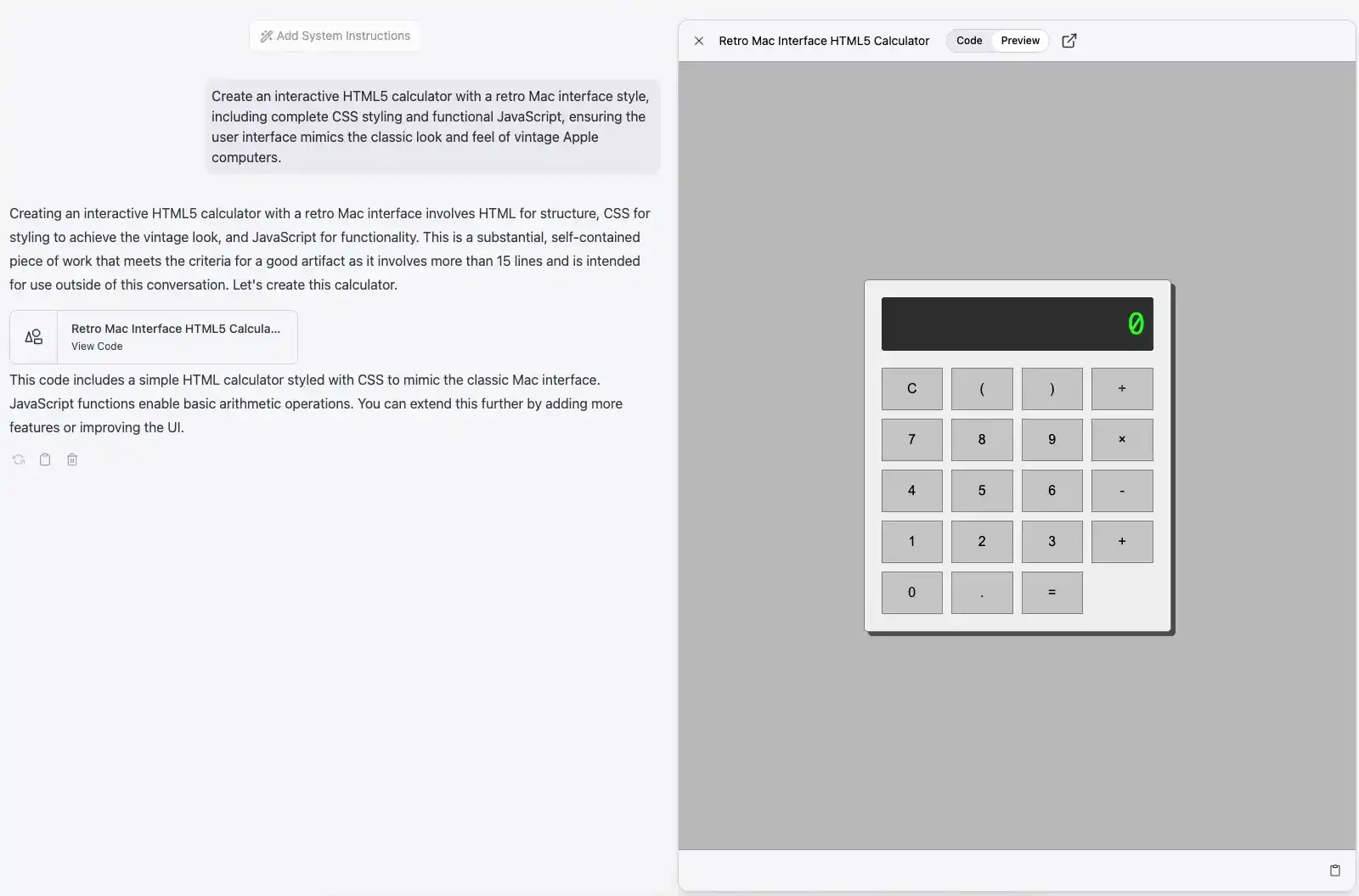
Common use cases
Artifacts are useful for previewing:
- Documents such as Markdown or plain text
- Code snippets
- Single-page HTML sites
- SVG graphics
- Charts and flow diagrams
- Interactive React components
How to use Artifacts
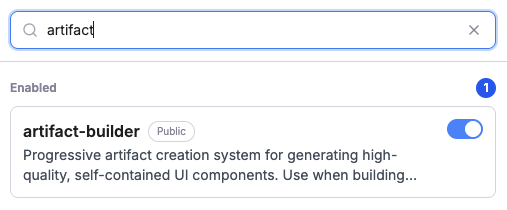
If you want the model to output an Artifact, first enable the artifact-builder Skill in the current conversation. Then ask the model explicitly to return the result as an Artifact, for example:
Please generate a simple HTML page as an Artifact with the content “Hello, ConsoleX!”.
The model will load the artifact-builder Skill and create an Artifact preview window in the conversation to display the generated result.