Custom Skills
A custom skill captures a way of working you want the AI to follow every time, such as your house style for client emails or a checklist for site audits. You can create one with AI in a chat, upload a skill package, or import a skill from a link.
Both options are on the Skills tab: click … (More) in the left rail, then Capabilities, then Skills.
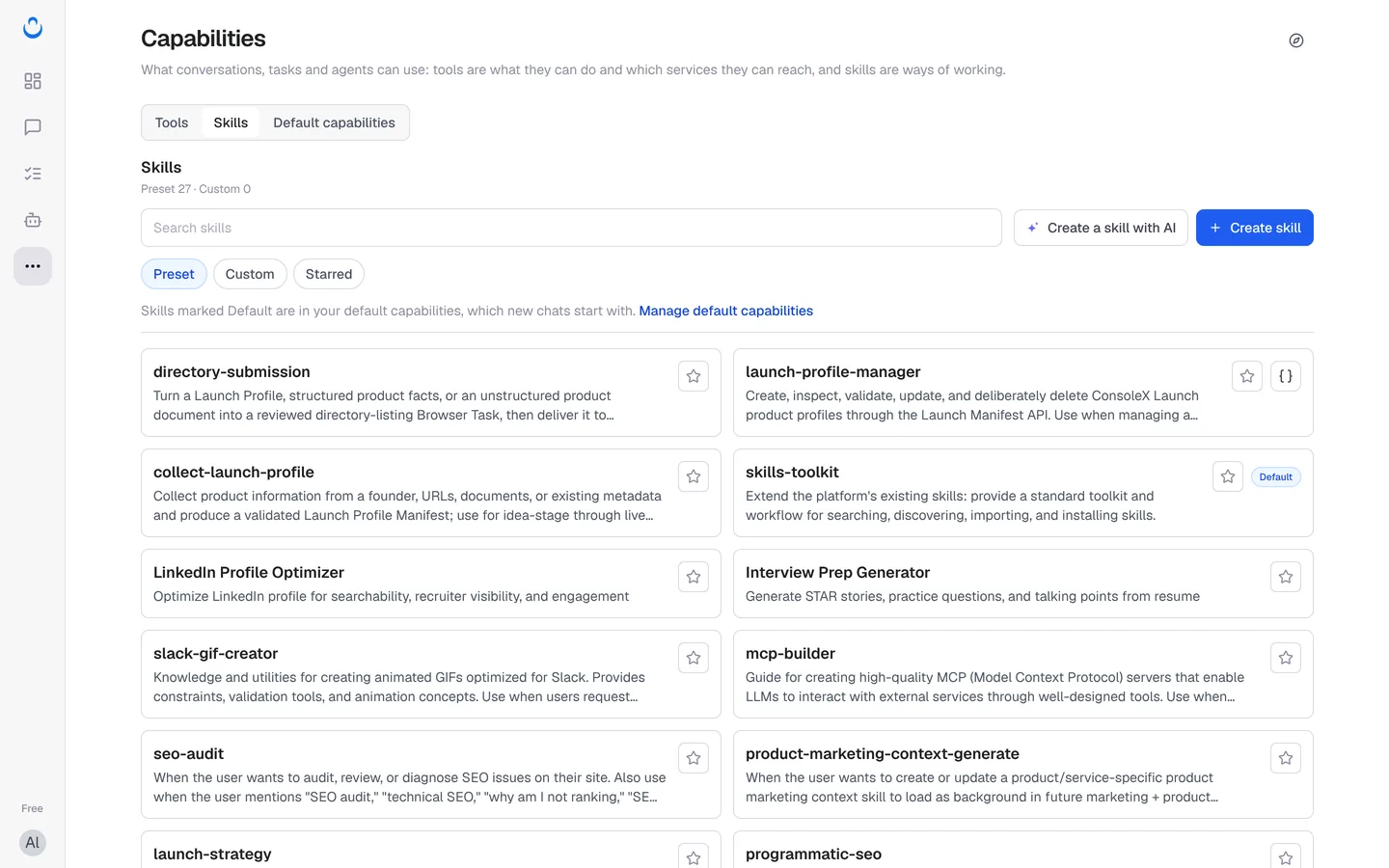
Create a skill with AI
Click Create a skill with AI. ConsoleX opens a chat with a starter message for building a skill. Describe the routine you want to capture, for example how Alex writes status emails for Brightside Bakery, and answer the AI's questions. The preset skill-creator skill, a guide for creating effective skills, is on by default in new chats.
If the chat gives you a skill package file, upload it with Create skill as described below.
Upload or import a skill
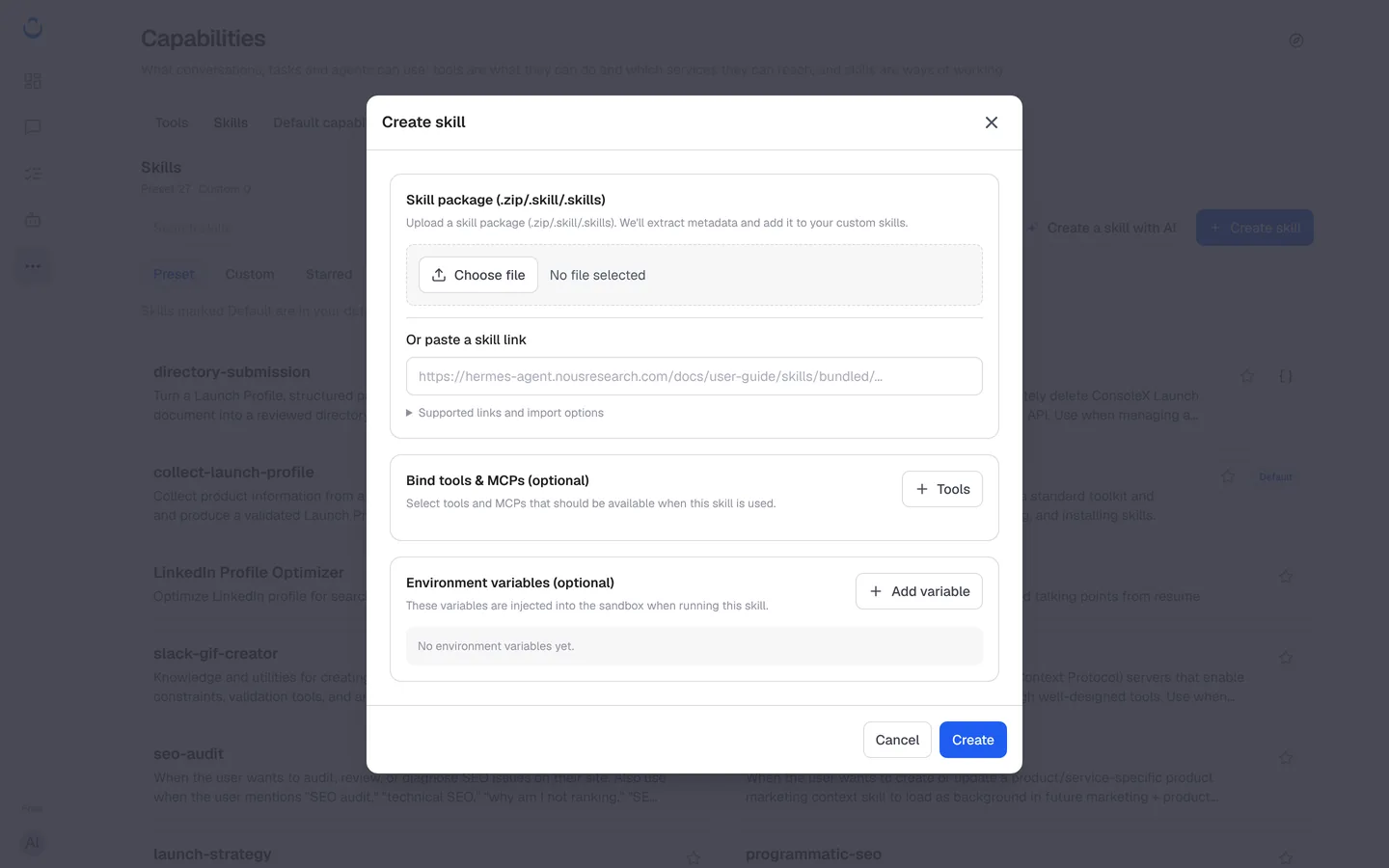
- Click Create skill.
- Add the skill in one of two ways:
- Skill package (.zip/.skill/.skills): click Choose file and select the package. "We'll extract metadata and add it to your custom skills."
- Or paste a skill link: paste the link to a published skill, for example a skill page from the Hermes Skill Registry. Expand Supported links and import options to see which links work.
- Optional: under Bind tools & MCPs (optional), click Tools and select the "tools and MCPs that should be available when this skill is used."
- Optional: under Environment variables (optional), click Add variable for each value the skill's scripts need, such as an API key. "These variables are injected into the sandbox when running this skill."
- Click Create.
What a skill package contains
A skill package follows the Agent Skills structure. At the root of the package there must be a SKILL.md file with the skill's metadata (such as its name and description) and detailed instructions for using it. Any scripts or reference files the skill needs go in the same package. ConsoleX reads the package and adds the skill to your private list.
Find and use your skills
Your skills appear under the Custom filter on the Skills tab, and the header count goes up (for example Custom 1). Your custom skills are private to you.
Turn a custom skill on like any preset skill: with Skills under the message box in a chat, or with Add capabilities in a task or agent. To have it in every new chat, add it to your default capabilities. See Preset skills for the details.