Preset Skills
Skills are reusable ways of working, such as a writing guide or an analysis routine, so results come out the same way each time. ConsoleX comes with a set of preset skills you can switch on in any chat, task or agent.
Browse the preset skills
- Click … (More) in the left rail, then Capabilities.
- Open the Skills tab. The header shows how many you have, for example Preset 27 · Custom 0.
- Use Search skills or the Preset, Custom and Starred filters. Click the star on a card to find a skill again quickly under Starred.
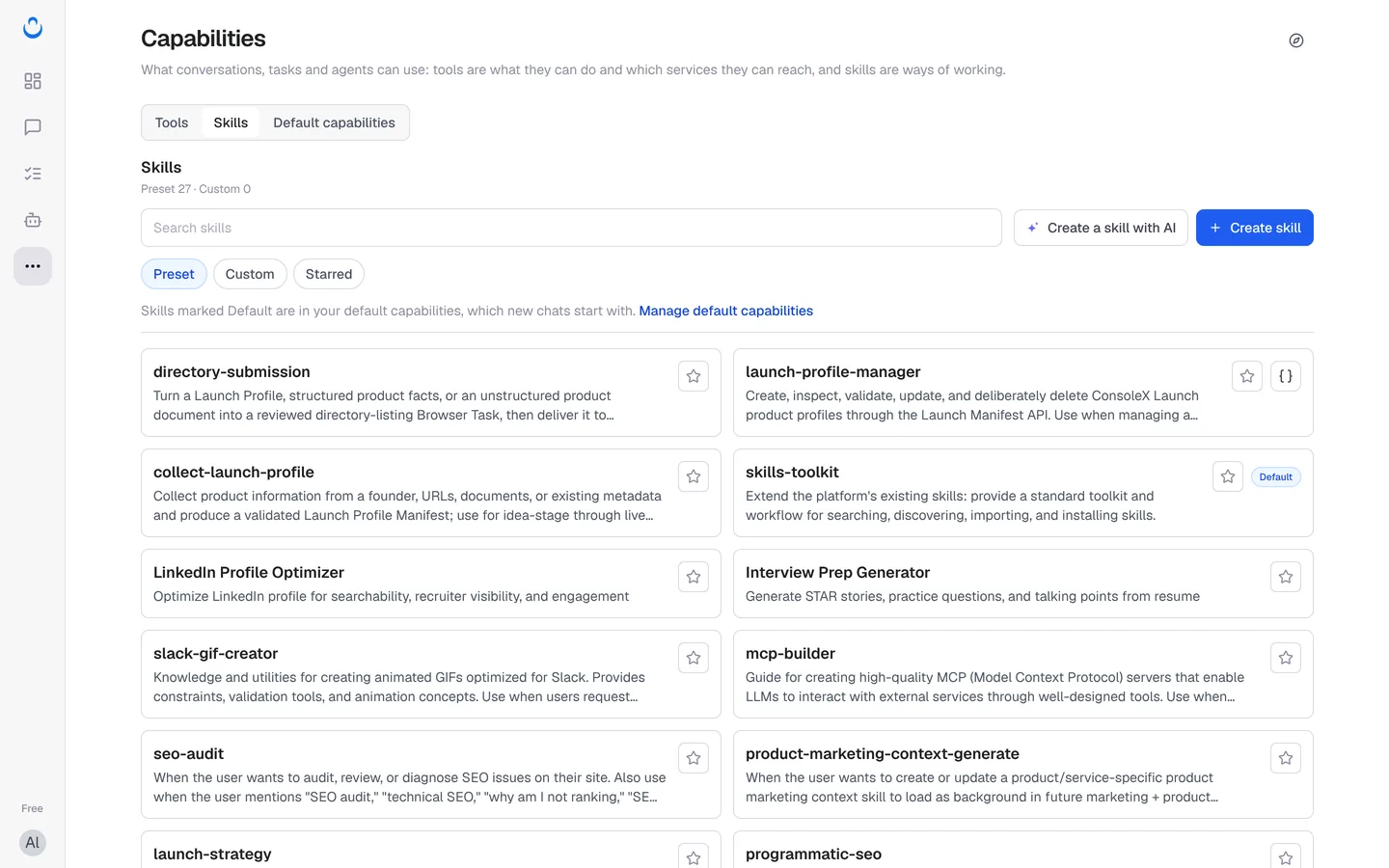
Preset skills include, for example:
- seo-audit, programmatic-seo and launch-strategy for marketing and growth work.
- daily-ai-news for a daily briefing with links to the original articles.
- doc-to-slides-images to turn a document, article or pasted text into slide images.
- domain-name-brainstormer to come up with domain names and check availability.
- LinkedIn Profile Optimizer and Interview Prep Generator.
- document-suite to create, edit and analyze Word, Excel, PowerPoint and PDF files.
The list continues on a second page; use Next at the bottom.
Default skills
A Default badge marks the skills in your default capabilities: "Skills marked Default are in your default capabilities, which new chats start with." Out of the box these are artifact-builder, skill-creator, skills-toolkit, cloud-browser and document-suite.
To change them, click Manage default capabilities above the list. See Default capabilities.
Turn skills on in a chat
- Under the message box, click Skills (the number shows how many are on). You can also click + and choose More skills.
- In the Apply to this conversation panel, switch skills on or off. Use In use to see what's on, or Disable all skills to turn them all off.
- Manage Skills at the bottom opens Capabilities in a new tab; your draft stays where it is.
"Changes here apply only to this chat."
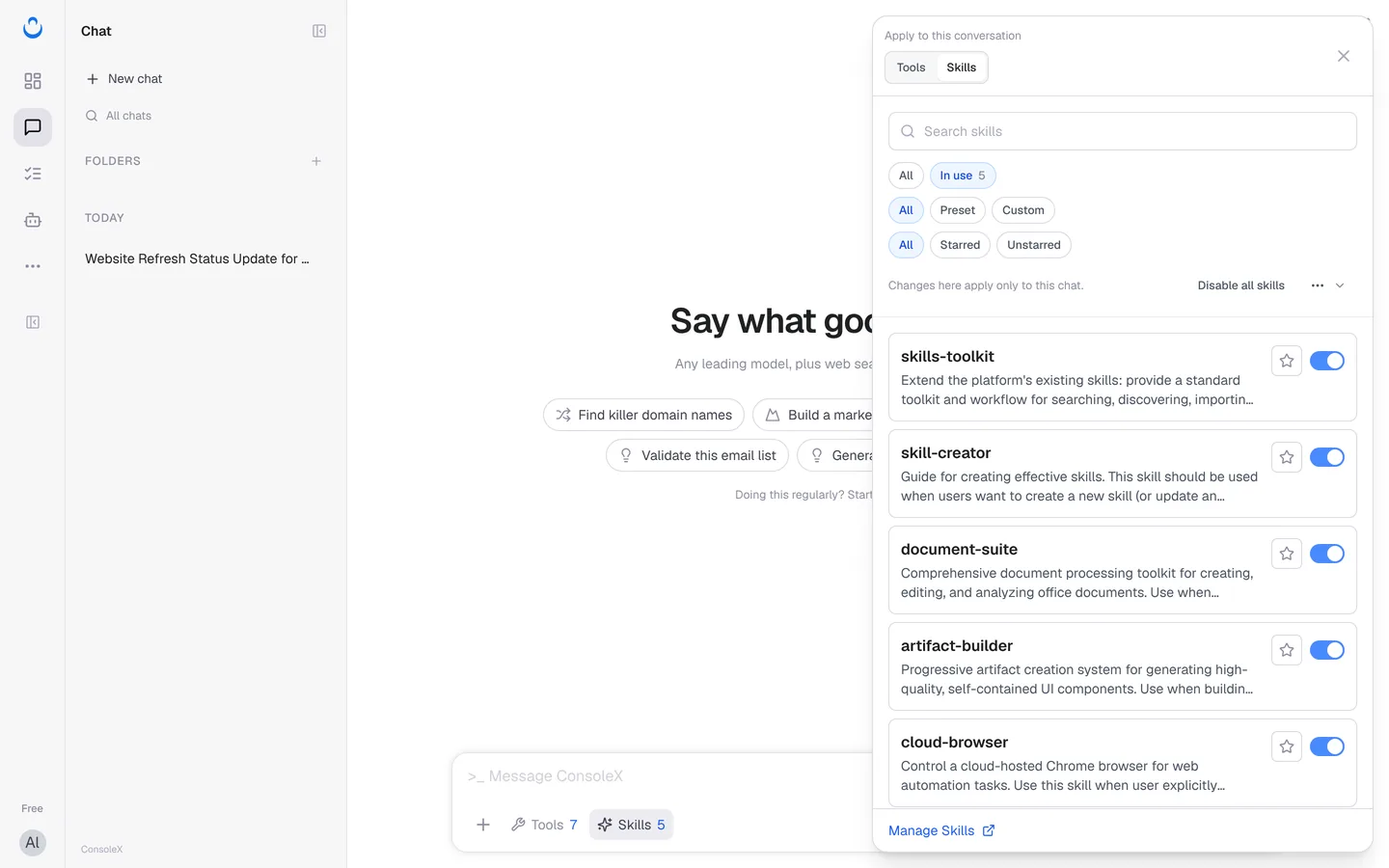
For how skills work during a conversation, see Skills in conversations.
Turn skills on in a task or agent
- Task: in the new task wizard (step 1 What to do) or on the task's Config tab, go to What to work from → Capabilities, click Add capabilities and open the Skills tab. Disable all skills removes them all.
- Agent: in the agent editor, click Add capabilities in the Capabilities section and open the Skills tab. See Create a custom agent.
Each chat, task and agent keeps its own list of skills.
Import more skills
You can add skills from outside ConsoleX, including from the Hermes Skill Registry, by pasting the skill's link in the Create skill dialog. You can also upload your own skill package or create one with AI. See Custom skills.