Credits and Usage
ConsoleX measures everything you use in credits. Each plan includes a monthly allowance of credits, and you can buy more credits if you need to go past it. This page explains what uses credits, how to follow your usage, and what happens when it runs out.
How usage is counted
- One monthly allowance. Each plan includes a set amount of usage each month: 3,000 credits on Free, 40,000 on Pro and 200,000 on Max. Chats and tasks share this one allowance. It renews each month on the day your current plan started.
- No hourly or weekly limits. Fair-use limits apply only to how many runs go at once.
- 1,000 credits = US$1 at list prices.
What uses credits:
- Models: every model call in chats, task runs and agent chats, priced per 1M tokens. See Shared model pricing.
- Tools: tools that charge per use, such as image or video generation. Failed tool calls are not charged. See Preset tool pricing.
- Checks: after each task run, AI checks review the result in a single model call, billed to your plan. Rule checks compare the result text with no model call and no extra charge. The model used for checks is set in Settings → Checking model.
- AI help around your tasks, for example when AI organizes a chat into a task with Save as task.
Plan allowance and credits balance
- Plan allowance is used first.
- Credits balance holds the credits you buy or are granted. Pay-as-you-go usage after the plan allowance is exhausted, and models and tools outside your plan, are deducted from this balance. New accounts start with 0 credits.
- Continue with credits decides what happens when the allowance runs out. When on, usage past your monthly allowance is paid from your credits balance instead of waiting for the allowance to renew. It is off by default. You can turn it on in Usage & Credits or in Settings → Chat Settings.
Check your usage
Click your avatar at the bottom of the left rail and choose Usage & Credits.
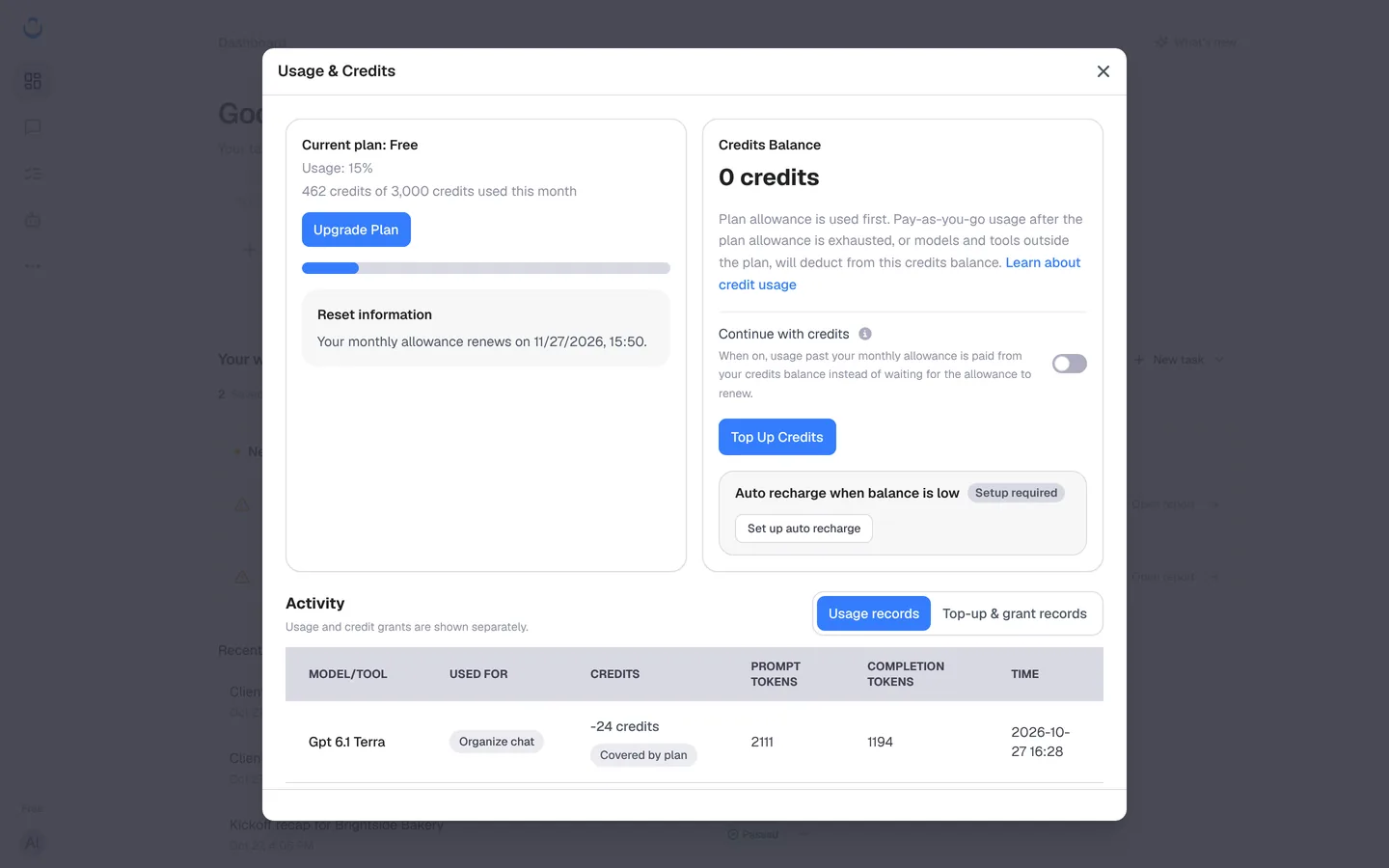
- Current plan shows your plan and how much of this month's allowance you've used, for example "462 credits of 3,000 credits used this month". Upgrade Plan opens the plan picker.
- Reset information shows when your monthly allowance renews.
- Credits Balance shows your balance, with Continue with credits, Top Up Credits and Auto recharge when balance is low.
- Activity lists usage and credit grants separately:
- Usage records: each model or tool call with what it was Used for (for example Check for an automatic check, or Organize chat when AI organized a chat into a task), the credits, the prompt and completion tokens, and the time. Covered by plan means the credits came from your monthly allowance.
- Top-up & grant records: credits added to your balance, with their expiration and time.
When usage runs out
- A run that has already started finishes, even if it goes past what's left, by up to a quarter of your monthly allowance.
- After that, new runs stop and show when your usage renews. A run that can't go ahead explains why, for example "Not enough credits", with Top up or upgrade and Run again.
- To keep going sooner, buy credits and turn on Continue with credits, or upgrade your plan.
Top up credits
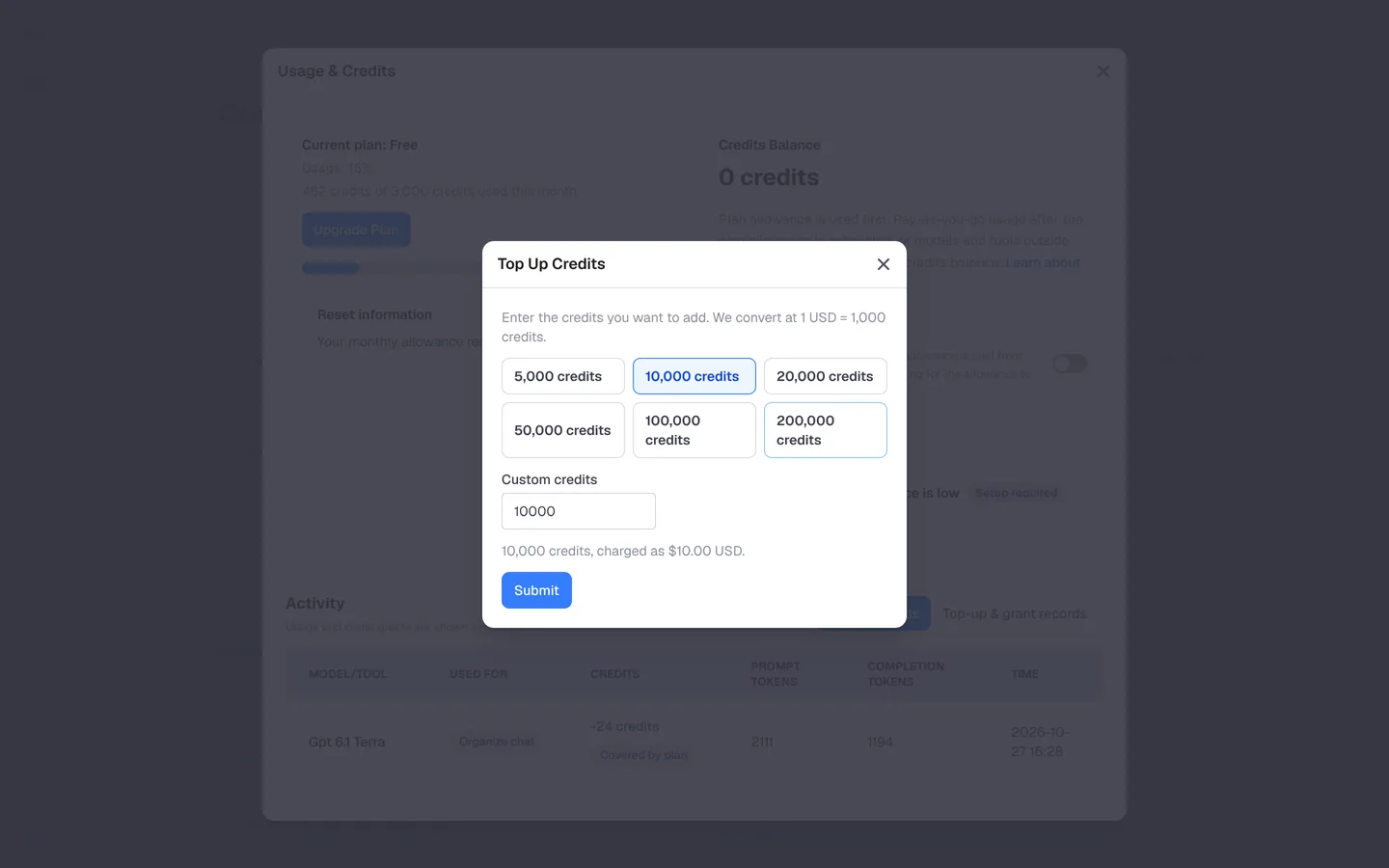
- In Usage & Credits, click Top Up Credits.
- Choose 5,000, 10,000, 20,000, 50,000, 100,000 or 200,000 credits, or enter an amount under Custom credits. The dialog shows the price, for example "10,000 credits, charged as $10.00 USD".
- Click Submit and complete the payment.
Recharge automatically
To keep a balance without topping up by hand:
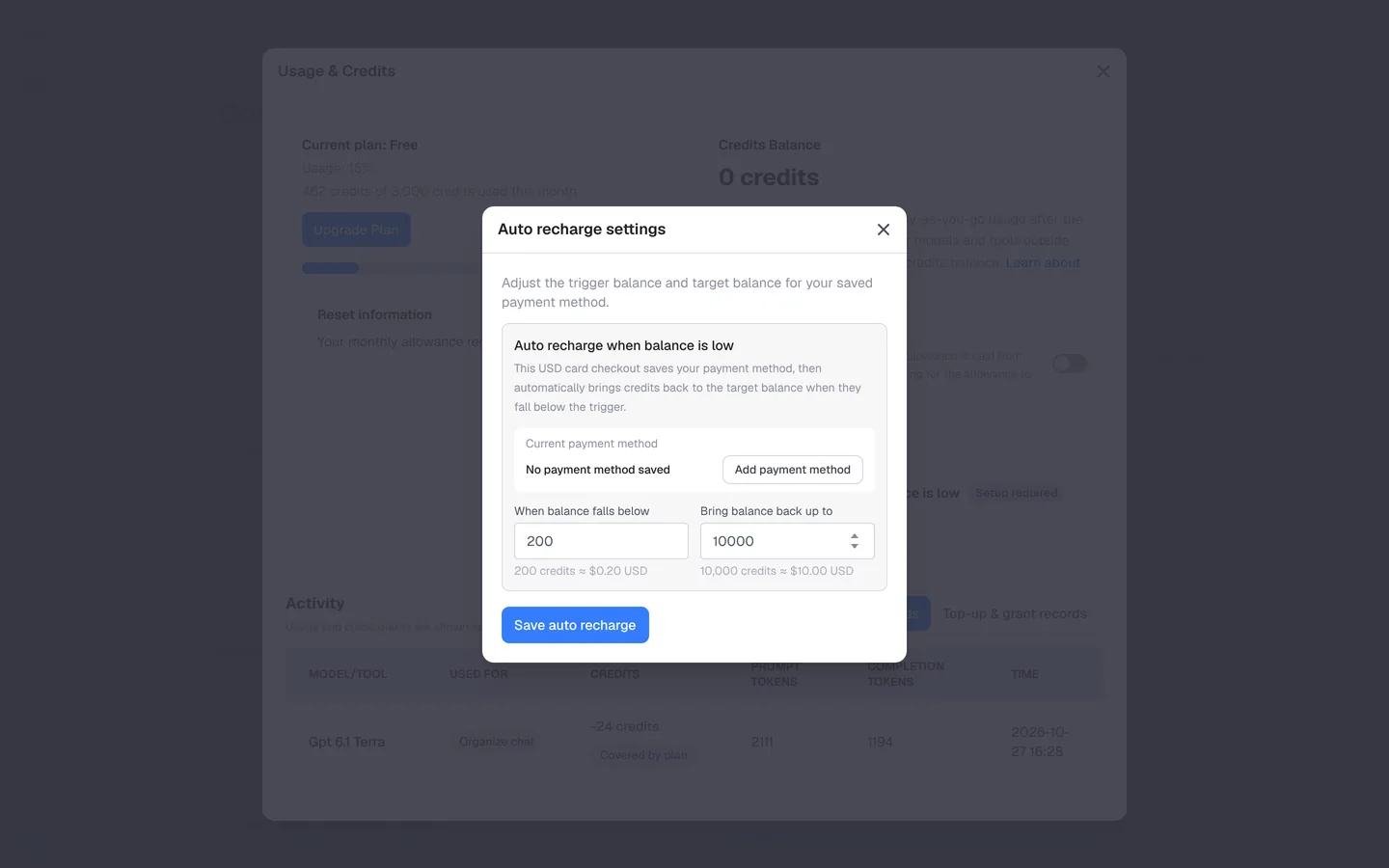
- In Usage & Credits, click Set up auto recharge.
- Under Current payment method, click Add payment method to save a card (USD).
- Set When balance falls below (for example 200 credits, about $0.20) and Bring balance back up to (for example 10,000 credits, about $10.00).
- Click Save auto recharge.
See what each run costs
Every task run records its model, usage and estimated cost. Open a run, and on the Result tab, Run statistics shows the Estimated execution cost split into known model fees and known tool fees. The cost of its checks is listed separately (Checks: ≈ n credits). The run history also shows the estimated credits for each run, so you can see what a task usually takes. See Run a task.
Using your own API key
Model calls made with your own key (BYOK) are billed by your provider and use no plan allowance or credits. Checks and ConsoleX's built-in tools still use your plan's usage. See Custom models.
If you already had a plan
Your plan and price stay the same. Usage now renews once a month instead of every three hours and every week. Your monthly amount is shown in Usage & Credits.